◉
Live Source
A real‑time feed routed into the engine — camera, deck, or another now2media module.
- Cropenabled
- Bordercolour · size · radius · alpha
- Shadowcolour · alpha · offset X/Y
- Radiusrounded corners
now2gfx is a real‑time broadcast graphics engine. Pull in live sources, images, image sequences or video. Crop, border, shadow and radius every item. Animate anything with a keyframe timeline. Output key and fill with alpha over DeckLink, NDI or VTP.
now2gfx gives every item its own transform stack, its own styling and its own animation track. Stack as many sequences as the show needs — they composite layer by layer onto the same programme output.
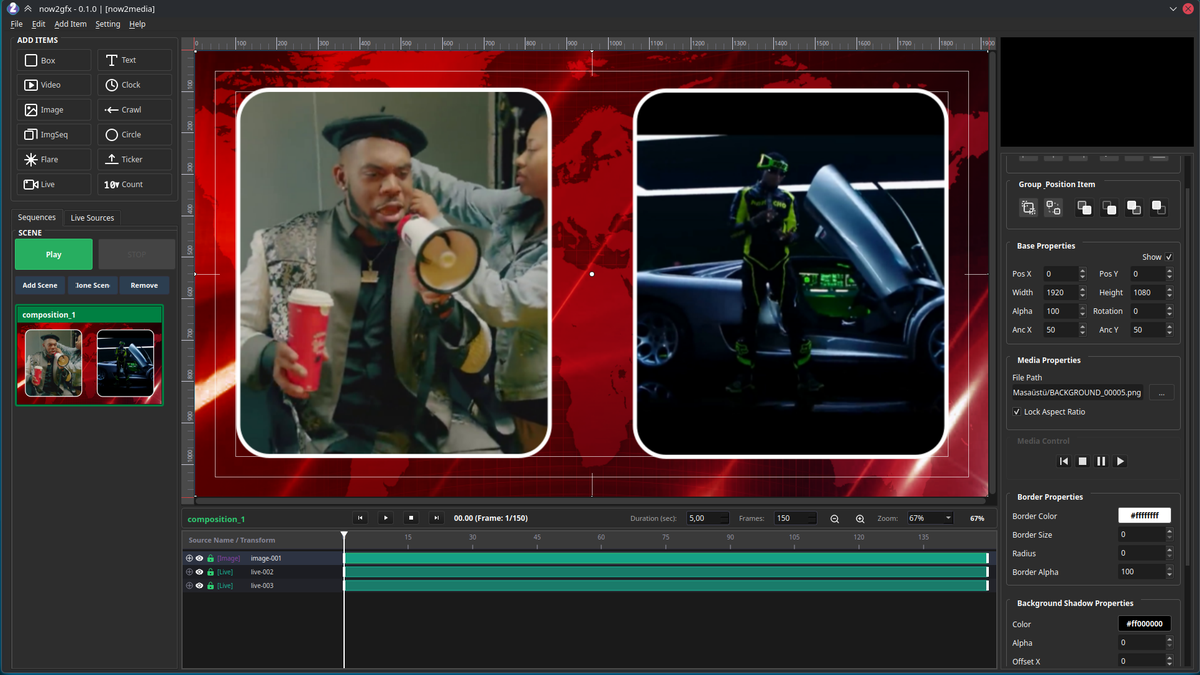
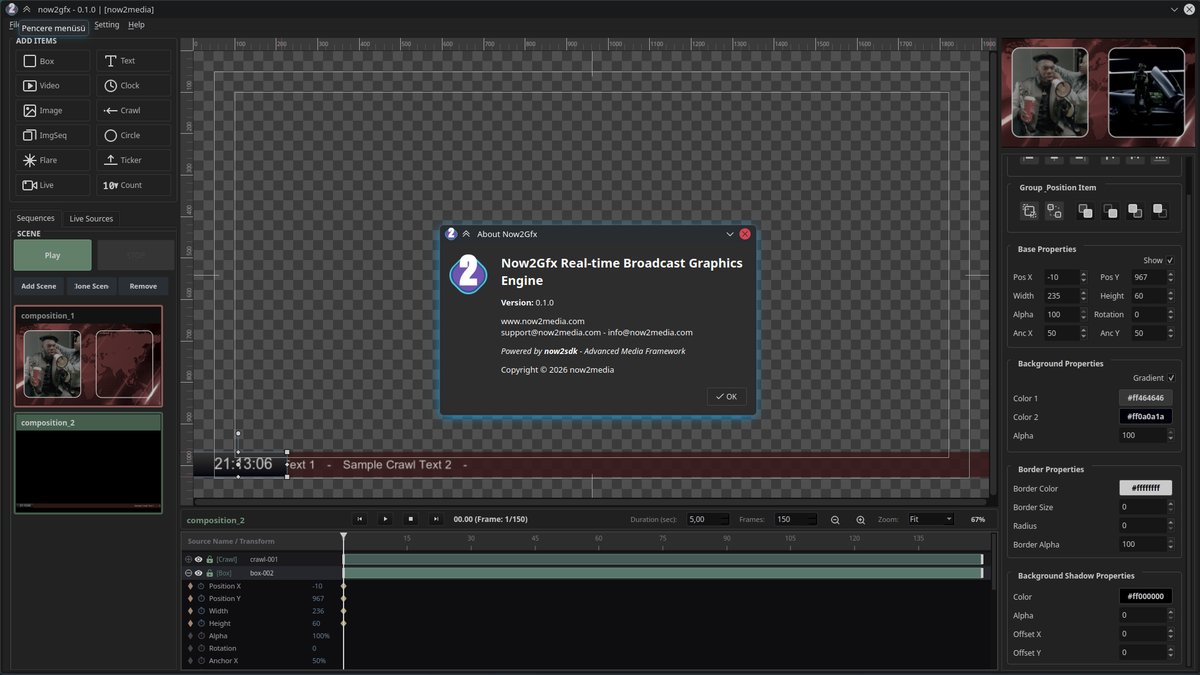
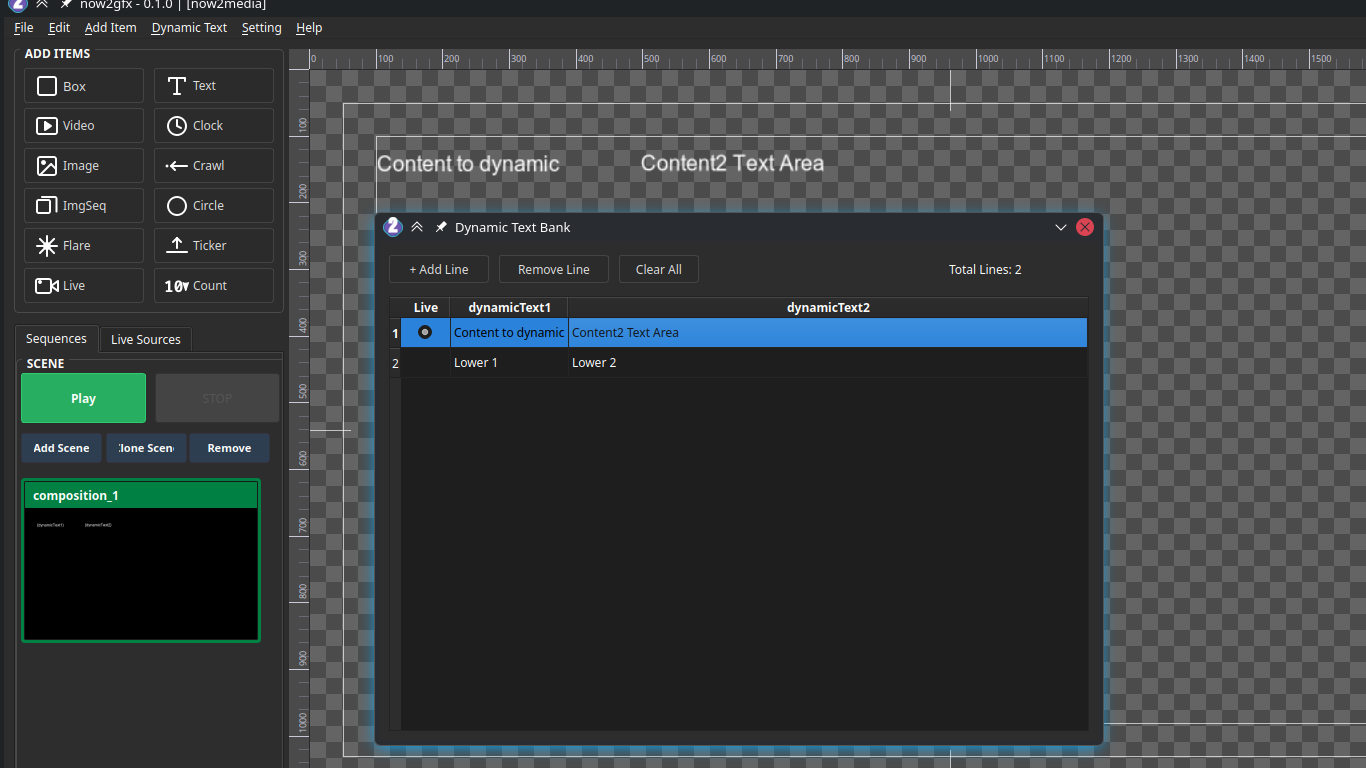
Each sequence keeps its own independent layer stack and there is no layer ceiling — stack a sponsor wall, a score bug, a full‑screen take and a crawl side by side. now2gfx composites them in order and hands a single keyed output to the switcher.

 SHOWFERMEDIA
Hover a sequence to isolate it on the programme out. Toggle FILL / KEY / ALPHA to see exactly what leaves the card.
Whatever comes in, it lands in the same inspector — crop, border, shadow and radius are available on every source type, so a live feed and a still PNG are styled the same way.
A real‑time feed routed into the engine — camera, deck, or another now2media module.
A still frame — logo, sponsor board, sponsor slates, team crests.
A numbered folder of frames played back at the composition frame rate.
A video file — stings, wipes, replay slates, sponsor reels.
Solid or gradient panel — the base plate for any lower third or score bug.
Any point size, weight, colour, tracking and outline. Supports {dynamicText}.
Countdown or count‑up. Set the start time and it runs on air.
Scrolling single line. Feed it from an XML or RSS source.
Multi‑item strip — scores, standings, a rolling list of names or numbers.
Ring, disc or arc. Radius, thickness and stroke colour adjustable.
Anamorphic streak and bloom for transitions and highlights.
Counter with animated increment and decrement. Ideal for cards, corners, reds.
Every property an item exposes gets its own keyframe track — and the list is not a fixed set. It follows the item: a Text track animates size, tracking, colour and outline; a Border animates colour, size and radius; a Shadow animates colour, alpha and its X/Y offset; an Image animates crop as well as transform. Whatever the inspector shows, the timeline can keyframe. Drop keyframes at any frame and the item interpolates across them. Duration is set in seconds or in total frames.
SHOWFERMEDIA
46 animatable property types. The timeline does not expose a fixed list — it builds one track per property the selected item actually has. Select an item, and exactly its properties become tracks.
Position XPosition YWidthHeightAlphaRotationAnchor XAnchor YBackground ColorcolourGradient Stop 2colourBackground AlphavalueBG Corner RadiusvalueBG Shadow Offset XvalueBG Shadow Offset YvalueBG Shadow AlphavalueBG Shadow ColorcolourBox Border ColorcolourBox Border AlphavalueBox Border WidthvalueFont SizevalueText ColorcolourLetter SpacingvaluePaddingvalueText Shadow Offset XvalueText Shadow Offset YvalueText Shadow AlphavalueText Shadow ColorcolourText Outline ColorcolourText Outline WidthvalueCrawl SpeedvalueCrawl Sep PaddingvalueTicker Move DurationvalueColour tracks interpolate per channel — R, G, B and alpha each blend across the two keyframes, so a title can cross‑fade from one brand colour to another.
Background ColorcolourGradient Stop 2colourBackground AlphavalueBG Corner RadiusvalueBG Shadow Offset XvalueBG Shadow Offset YvalueBG Shadow AlphavalueBG Shadow ColorcolourBox Border ColorcolourBox Border AlphavalueBox Border WidthvalueBox and Circle map their background to fill colour rather than the text background track — same animation engine, different property behind it.
Border ColorcolourBorder AlphavalueBorder WidthvalueRadiusvalueBG Shadow Offset XvalueBG Shadow Offset YvalueShadow AlphavalueShadow ColorcolourCrop LeftvalueCrop TopvalueCrop RightvalueCrop BottomvalueCrop is edge based in pixels — a keyframed crop left sweeps a push‑in without touching the transform tracks.
Length (px)valueWing Strength (px)valueCenter HotspotvalueCenter Stretch (x)valueBrightnessvalueRotation SpeedvalueAngle (1–12)valueHorizontal FadevalueVertical FadevalueCrop LeftvalueCrop TopvalueCrop RightvalueCrop BottomvalueFlare is the most animatable item in the library — thirteen dedicated parameters on top of the shared transform set, including rotation speed and independent horizontal / vertical fade.
Where the item begins. Everything before this frame is blank.
Marks the beginning of a repeating cycle.
Where the loop turns back. With a LOOP marker the item cycles between LOOP and STOP, forever — it never waits for OUT.
Where the exit animation begins. Pressing STOP jumps here and plays the item out to its last keyframe.
With a LOOP marker the item plays IN → LOOP, then cycles LOOP → STOP forever. The playhead never waits for OUT. Pressing STOP jumps to OUT, plays the exit animation and halts on the last keyframe.
Two separate mechanisms. Dynamic text drives the values inside a graphic from a bank you edit live. Content sources fill Crawl and Ticker from a file or a feed. In both cases the item on screen updates on its own — nobody opens the composition mid‑show.
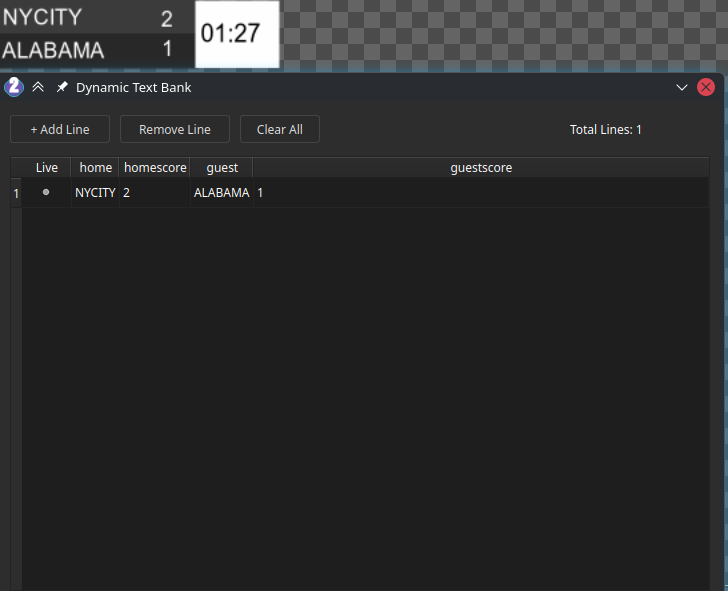
The bank is a grid. Columns are yours to name —
home, homescore, guest,
guestscore in the example. Each row is a line: one complete
set of values, for one match, one player or one slot in the rundown.
Add a column for every field your graphic needs, then add lines — one per match, per player, per sponsor slot.
The radio column marks which line is currently on air. Switch it and every bound graphic follows at once.
A Text, Clock or Count item references a column by name and renders whatever that cell holds right now.
Type in the bank and the item re‑renders instantly. Nothing moves, no modal steals focus mid‑show.
Every cell can be pushed from outside through now2sdk — a score feed, OCR, or a rundown system.
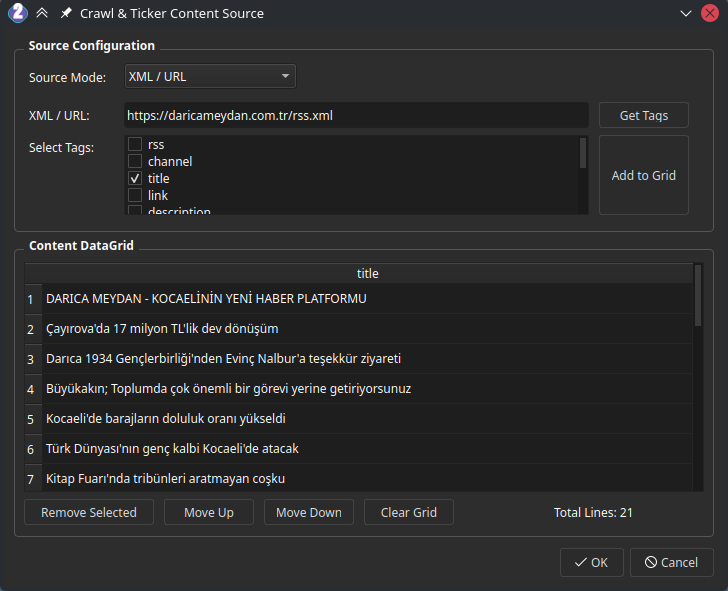
Crawl and Ticker items pull their lines from somewhere outside the app. Choose the source, point it at a file or a feed, pick the tags you want, and the grid fills itself.
Manual, a plain .txt file, or XML / URL. The mode decides where the lines come from.
Paste a URL such as an RSS endpoint, or browse to a local file.
now2gfx fetches the document and lists every tag it finds — rss, channel, title, link, description, and whatever else the feed carries.
Select one or several and add them to the grid as columns.
Move rows up and down, remove single lines or clear the grid. The crawl plays them in this order.
now2gfx outputs fill and key with a real alpha channel over DeckLink, NDI and VTP — and in Disable mode you can take the key from one card and the fill from another.
now2gfx emits a dedicated key signal alongside the fill. The switcher or downstream device does the keying.
now2gfx keys the composition itself and outputs a clean keyed pair, ready to cut straight to air.
Alpha is carried as a separate channel. Take the key from one graphics card and the fill from a second — two cards, one composition.