Scheduled playlists
Each list carries its own start time. Loop off, lists play in order; loop on, a single list repeats forever. Duration is calculated per list independently.
now2play is a four‑module broadcast playout suite. Main Player schedules the day, Ads Player fires scheduled commercial breaks, Stream Player pulls RTMP/HLS, and Multi Player bridges any two of them with a single click.
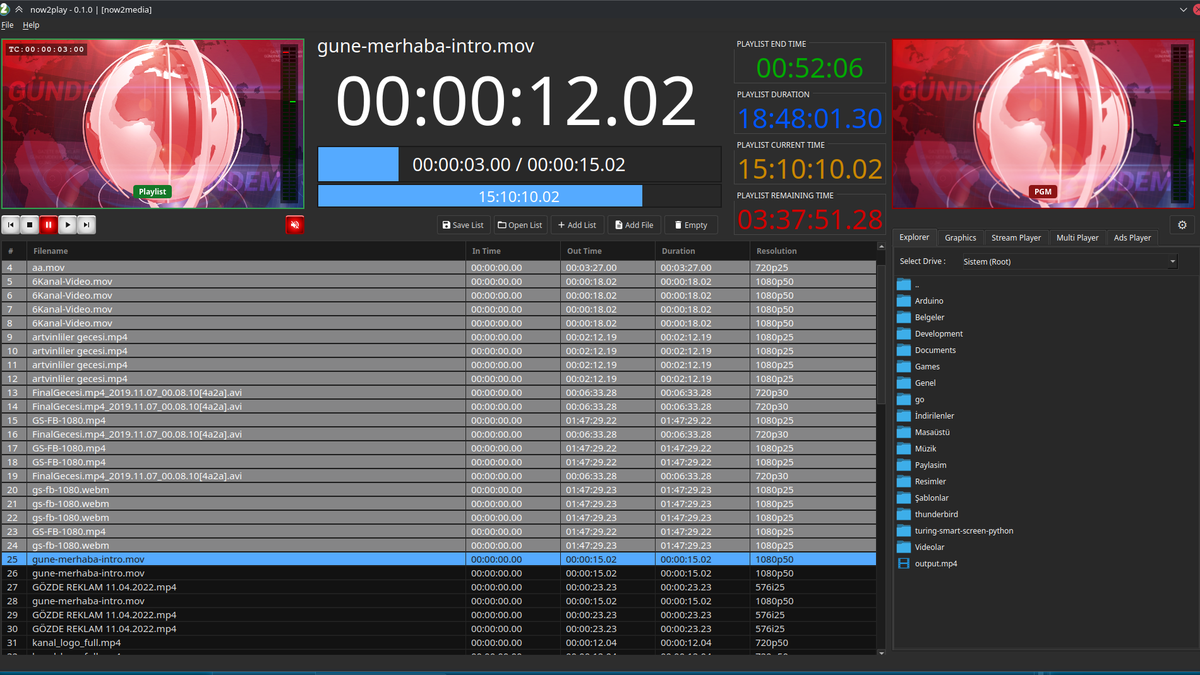
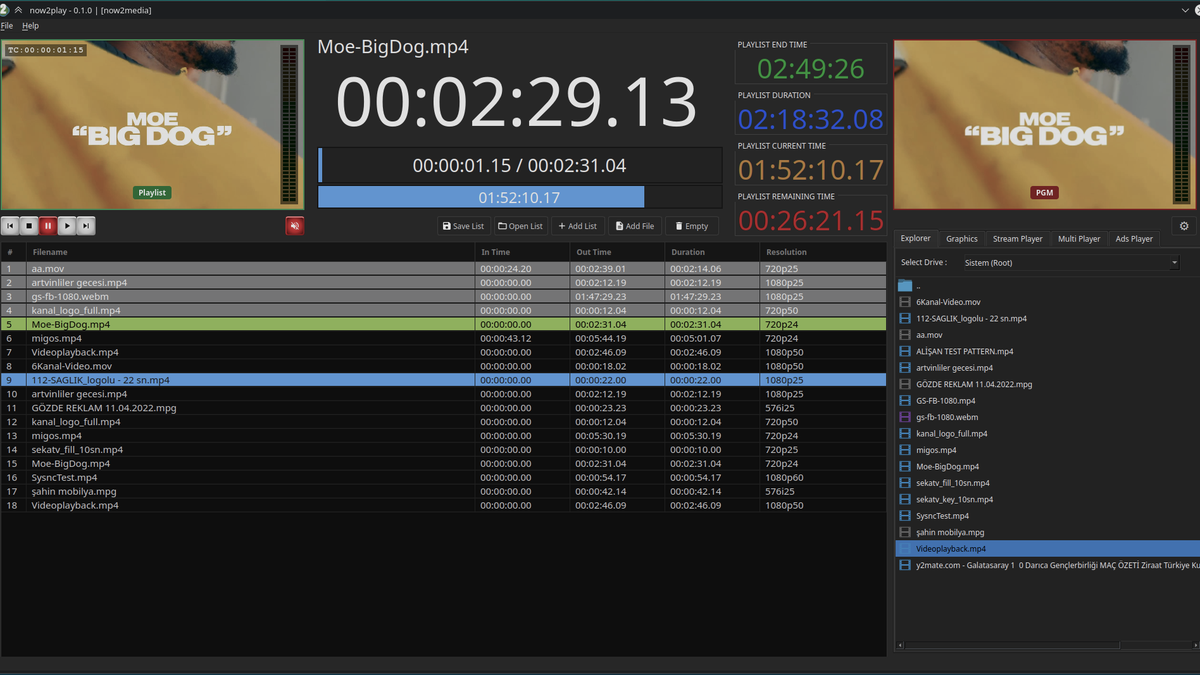
Every clip the show needs lives here. The list runs in order, on time, with a CG per clip, a colour tag per row, and a row‑level control strip — loop · pause · stop · playlist.
Each list carries its own start time. Loop off, lists play in order; loop on, a single list repeats forever. Duration is calculated per list independently.
Every row carries loop · pause · stop · playlist toggles. What the row carries wins over the playlist‑level default.
Set IN / OUT on any clip. Drop automation cues — branch, take next, fade, CG trigger, SCTE — between any two clips.
Pick a clip up by its row, drop it between two others. Trim and CG assignments follow the clip.
Tag a clip with a colour and the whole row takes it — sponsors, promos and live hand‑off clips are spotted in one glance.
Assign a CG to a single clip. When the clip is on air, the assigned CG replaces the Main CG; the Main CG returns the moment the clip ends.
Auto next rolls straight into the following clip (on by default). Pause on next stops at the head of every upcoming clip for a hand‑start.
Every playlist is a file — open yesterday's show, change the break, save it back. Any clip can be previewed on the audio monitor before it reaches the MUX.
Multi Player is the bridge between any two modules. Each end of its playlist hands control to whichever module you picked — Stream Player for live, Main Player to come back, or "no action" to stop there.
When you start the Multi Player mode, the film is paused on its current frame.
When you go live, your intro music, bumper music or channel ID goes out on air.
At the end of Multi Player mode, Stream Player starts — you did this with a single click.
Stream Player → Multi Player → Main Player brings you back to the film when the live broadcast ends.
Ads Player fires scheduled commercial breaks. Stream Player pulls RTMP/HLS feeds. Multi Player bridges any two modules. Graphics hosts the CG library. Main CG carries the two permanent plates. Explorer is the source panel.
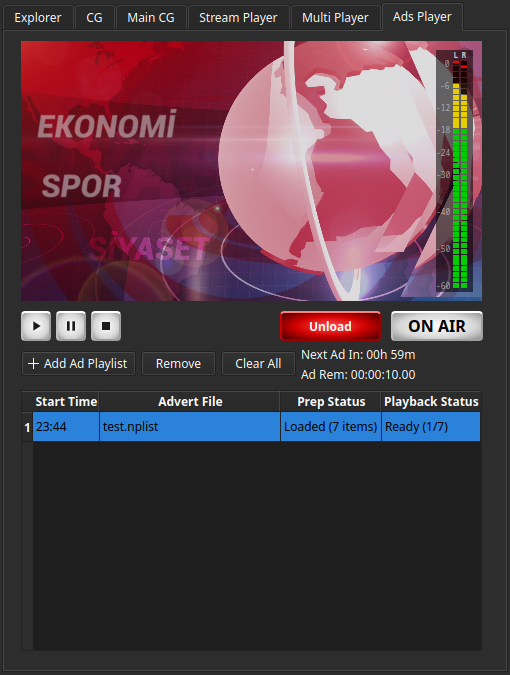
Hand the Ads Player a saved list and a time. Main Player pauses, the list plays, Main Player resumes from the exact frame it stopped on.
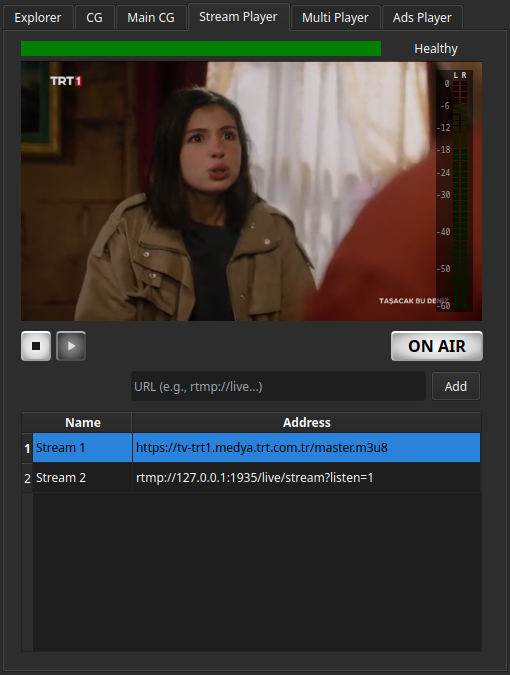
Maintain a list of RTMP and HLS feeds and pull any of them into the playout chain — as a hand-off target or a permanent IPTV ingest.
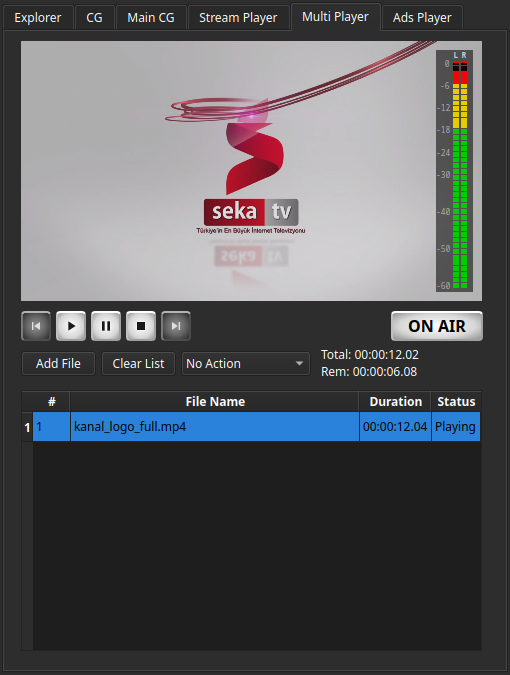
Plays its own playlist — an intro, a segment, a bumper — then hands control to whichever module you pick at the end. "no action" stops there.
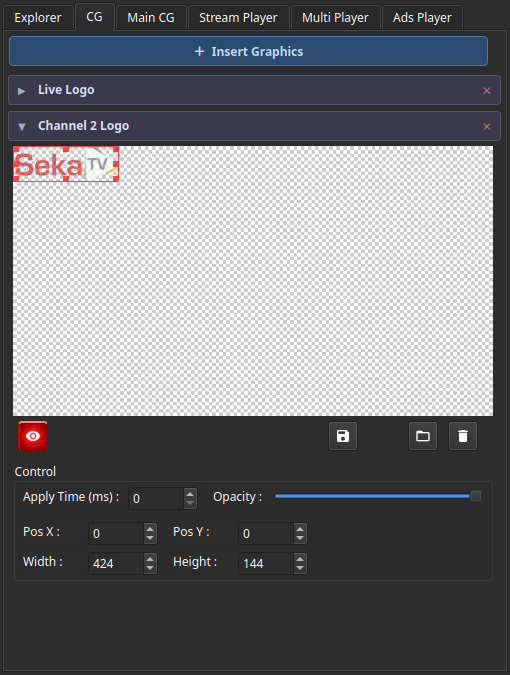
Title cards, lower thirds, score bugs, full-screen sponsor takes — all in one library. Drag a CG onto a clip to bind it; an unbound clip falls back to the Main CG.
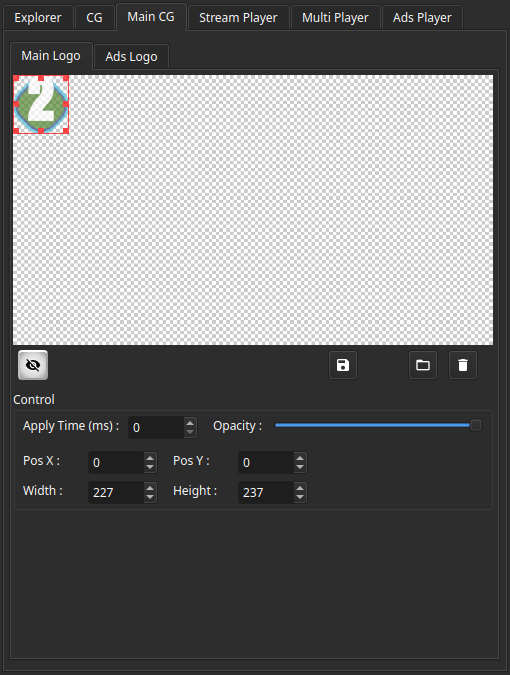
The Main CG slot is always present, with two image entries: the main logo and the ads logo. The main logo is on air whenever no per-clip CG is active; the ads logo surfaces only while the Ads Player has the floor.
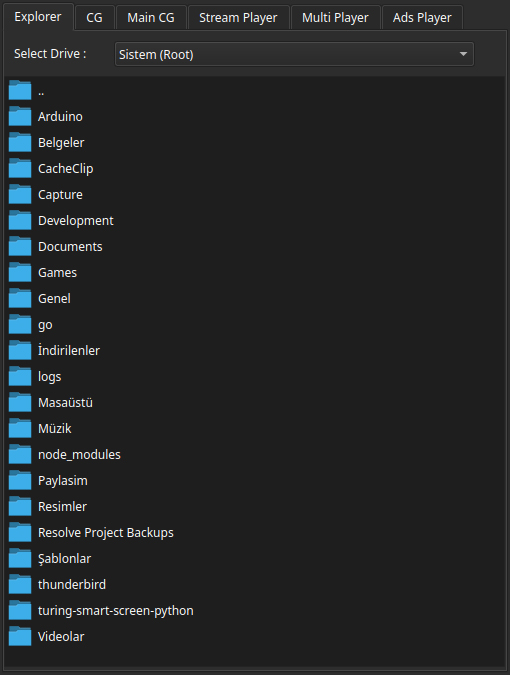
Browse local drives, mapped network shares and your show's media library. Anything the Explorer shows can be dragged straight into a playlist.
your files, our clock — every frame ours to control
RTMP · SRT in — graphics on top, the feed stays theirs
 22:36:57
ON AIR
DeckLink · NDI · VTP
22:36:57
ON AIR
DeckLink · NDI · VTP